Overview
2Legit Volleyball is a coaching and training organisation in Miami, running programmes for players across multiple age groups with the support of coaches and a small group of directors who oversee scheduling, registration, and day-to-day operations. Before this engagement, public outreach and internal operations pulled in different directions: a website told families about the programme, while directors, coaches, and parents each needed separate, informal ways to coordinate training, events, and payments once someone actually signed up. iEncode Tech was asked to bring both sides together in one platform, serving directors, coaches, parents, and players from a shared foundation rather than a public site bolted onto a separate operations tool. What follows is the reasoning behind that platform, not just the feature list it produced.
Where the organisation started
2Legit Volleyball sits in the sports and training management space, where a programme's success depends as much on relationships as on records: a director needs to see the whole picture across teams and events, a coach needs the specifics for the sessions they run, and a parent mostly needs to know what their child is registered for, when it happens, and what they owe. Historically, that information lived in the gap between a public-facing website and whatever informal tools, spreadsheets, group messages, paper sign-in sheets, directors and coaches had assembled to manage day-to-day operations. That gap is manageable at small scale, but it does not hold up once training, events, and registration are all running at once across an active programme.
The core challenge
Serving four groups from one platform is where a generic content-management setup or a single-audience booking tool stops being sufficient:
- Directors needed broad administrative visibility across programmes, while other roles clearly should not see that same depth of access
- Coaches needed the training and event information relevant to their sessions, without being exposed to organisation-wide administration they had no reason to touch
- Parents needed a registration, schedule, and payment journey that did not assume any familiarity with sports-management software, since most were using it for the first time
- Player records needed to stay connected to the training and events a player actually took part in, rather than sitting as a disconnected list
- On-site registration and attendance at training sessions and tournaments needed a check-in method fast enough to survive a busy gym, not just a quiet office demo
- The public website and the internal portals needed to read as one organisation to a visiting family, not two products stitched together after the fact
Understanding the problem and setting goals
Before any interface work began, the priority was mapping what each of the four roles actually needed to do, not what a generic sports-platform feature list might include. Directors needed cross-programme oversight; coaches needed session-level focus; parents needed a short, low-friction path from discovery to registration to payment; players needed their activity connected to training and events without needing an account of their own to manage. That mapping set the goals for the engagement: replace informal coordination with role-appropriate portals, keep registration and event data consistent across every role that touched it, and make on-site check-in fast enough for real training and tournament days rather than just fast enough for a walkthrough.
Solutions
iEncode Tech treated the public website and the internal portals as related experiences with different permissions, rather than as separate products maintained on different assumptions. A shared data layer for training, events, scheduling, and registration meant a change made in one place, a new event, a rescheduled session, a registration update, reached everyone who needed to see it, without a director or coach having to manually repeat the same update in more than one place.
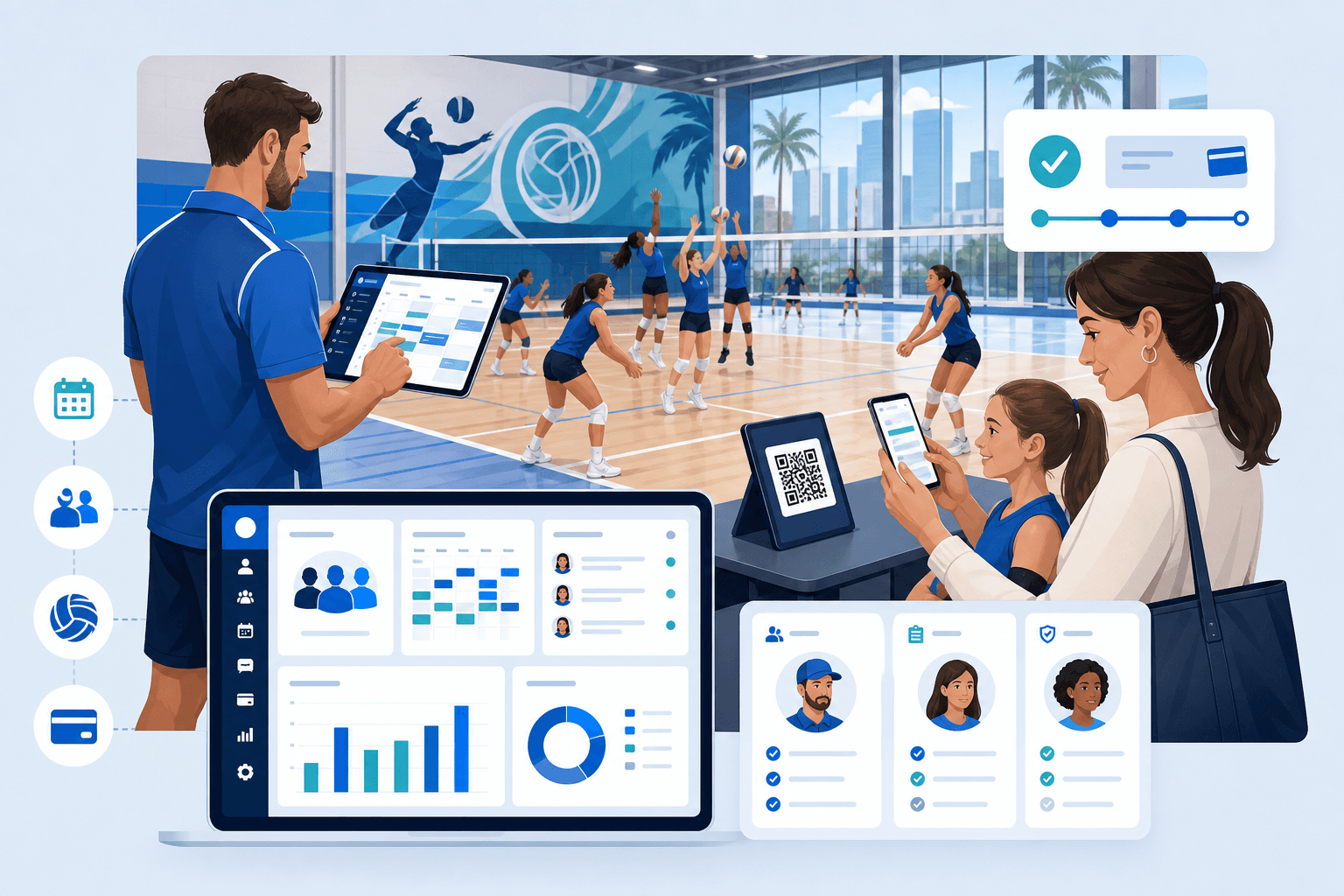
Role-based portals were built out for directors and co-directors, coaches, parents, and players, each scoped to the responsibilities that role genuinely holds rather than a trimmed-down version of the administrator view. QR-code scanning was introduced specifically for on-site registration and attendance, since a family arriving at a tournament needed something faster than searching a name on a list, and CSV exports gave administrators a practical route from platform data into whatever reporting tools the organisation already used outside the platform.
Designing for four very different users
The interface design had to hold two things in tension: enough depth for directors managing an entire programme, and enough simplicity for a parent who might only log in a handful of times a season. Navigation and information architecture were built around each role's actual task list rather than a single shared menu trimmed by permission level, so a coach's view foregrounds sessions and rosters while a parent's view foregrounds their child's schedule, registration status, and payment history. Responsive behaviour mattered particularly for parents and coaches, who were expected to use the platform from a phone at a gym or a field far more often than from a desktop, so mobile layouts were treated as the primary experience for those roles rather than a secondary adaptation of a desktop-first design.
Building the platform
Public website and discovery
A public-facing Next.js site gives the organisation a searchable, fast-loading presence for families discovering the programme, distinct from but connected to the operational portals behind it.
Director and coach portals
Directors get programme-wide oversight, training and event management, and reporting; coaches get a focused view of the sessions and rosters relevant to them, without the administrative depth a director needs.
Parent and player experience
Parents manage registration, scheduling, and payments through a portal designed around a short, guided journey, with player records connected to the training and events a player actually participates in.
Real-time coordination
WebSocket-based updates keep schedules and rosters current across director, coach, and parent portals as changes happen, so a rescheduled session or a new event does not depend on someone manually notifying every affected family.
In-app calling
WebRTC-based calling lets directors and coaches coordinate training and event logistics without leaving the platform for a separate messaging or calling app.
QR-based check-in
QR-code scanning gives staff a fast, reliable way to register attendance at training sessions and tournaments, built for the pace of a live event rather than a desk-based workflow.
Notifications and reporting
Google-based sign-in and analytics, Firebase push notifications, Zoho Mail, and SMS alerts keep families informed of schedule and event changes, while CSV exports let administrators move platform data into their existing reporting habits.
Technology and architecture
- Frontend: Next.js powers the public website and web-based director and coach portals, giving the organisation strong search visibility for public pages alongside fast-loading operational dashboards.
- Mobile: React Native supports parent and player access to schedules, registration, and payments from a phone, which is how most parents were expected to use the platform.
- Backend: Node.js runs the API layer that coordinates data across the public site, web portals, and mobile app from one consistent JavaScript codebase.
- Database: MongoDB stores training, event, registration, and roster data in a flexible document model suited to several related but distinct record types.
- Real-time and communication: WebSockets keep schedules and rosters current across roles, WebRTC powers in-app calling, and QR-code scanning handles on-site registration and attendance.
- Supporting services: Google APIs and Firebase handle authentication, analytics, and push notifications; Zoho Mail and an SMS gateway deliver time-sensitive alerts; Vercel hosts and deploys the platform; Cloudinary manages image assets for the public site and team media.
Where the build got hard
Serving four roles from a single data layer without either overwhelming casual users or under-serving administrators was the central engineering tension throughout the build. The solution was not a single "one-size-fits-most" interface with permission toggles, but genuinely separate portals reading from and writing to the same underlying training, event, and registration data, so a director's programme-wide view and a parent's simplified schedule never drift out of sync with each other.
QR-based check-in also had to work reliably under real conditions, patchy gym Wi-Fi, a queue of families arriving at once, phones with varying camera quality, rather than only in a controlled test. Keeping the scanning workflow simple and fast, rather than adding extra confirmation steps for their own sake, was the deciding design choice once early testing showed how much check-in speed mattered at a busy event.
Results and impact
The delivered platform connected public discovery with role-specific sports operations, giving directors, coaches, parents, and players each a portal suited to their responsibilities while registration, events, scheduling, and payments all draw from the same underlying data. Real-time updates meant a schedule change reached every affected role without manual re-entry, QR-based check-in reduced friction at events and training sessions compared with a name-search or paper process, and CSV exports gave administrators a practical bridge into their existing reporting tools.
No verified live URL, participation figures, or tournament outcomes were included in the supplied material, so none are presented here. What this case study documents is the platform and workflow reasoning that made a four-role sports organisation operable from one connected system, rather than a set of unverifiable performance claims.
What this project reinforced
Multi-role platforms succeed or fail on information architecture more than on any single feature. Getting each role's portal scoped correctly, rather than defaulting to one shared interface with visibility toggles, is what kept the platform usable for a first-time parent and capable enough for a director managing an entire programme. That same discipline, treating role separation as a design decision made early rather than a permissions system bolted on later, carries directly into any multi-role portal or payments and QR-based workflow iEncode Tech builds for another operationally complex organisation.
Running a programme that depends on coordinating directors, coaches, and families in real time? Talk to iEncode Tech about a role-based platform built around how your organisation actually operates, or see the 2Legit Volleyball project overview for a portfolio-style summary of what shipped. Organisations weighing a similar multi-role build may also find the Team1.co case study useful, since it works through the same role-separation problem in a workplace-collaboration setting.